Creating a Project
To create a project, go to the window menu and select File > New > Project, or
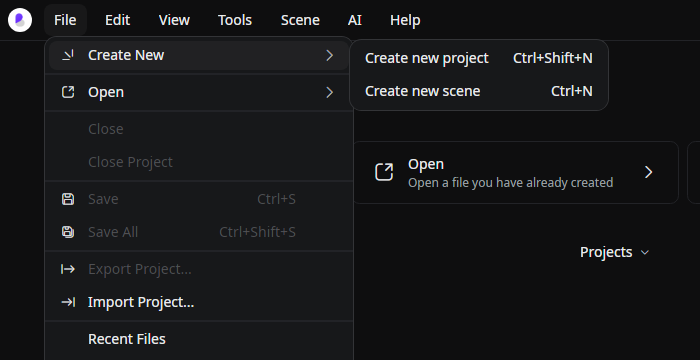
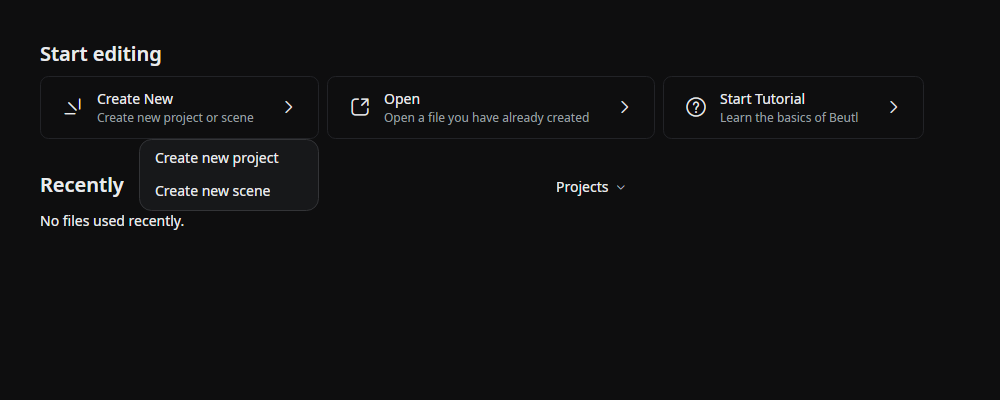
Click New > Create New Project on the start screen.
Specify the project's name and location.
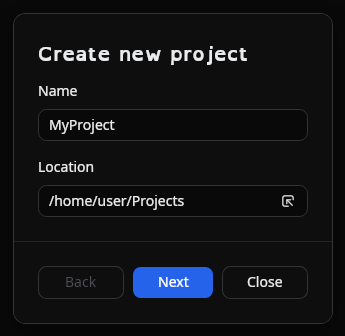
Click [Next].
Specify the frame rate, sample rate, initial scene width, and height.
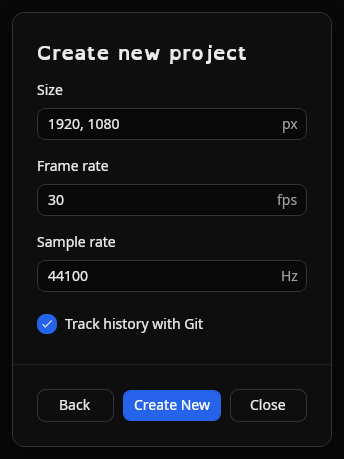
The project sample rate is used for preview audio and as the default for new exports. Frame rate accepts a positive whole number or a fraction such as 30000/1001, as well as the listed presets.
Click [Create] to create the project.
When Git is available, choose Track history with Git to start recording versions when the project is created. See Version Control.
Recent projects
On the start screen, right-click a project in the recent list and choose Delete from Disk to permanently delete it. The confirmation dialog shows whether Beutl will delete the project's own folder and its contents, or only the project file when it is in a shared location. Close an open project before deleting it.
Remove only removes the entry from the recent list; it leaves the files on disk.