Editor
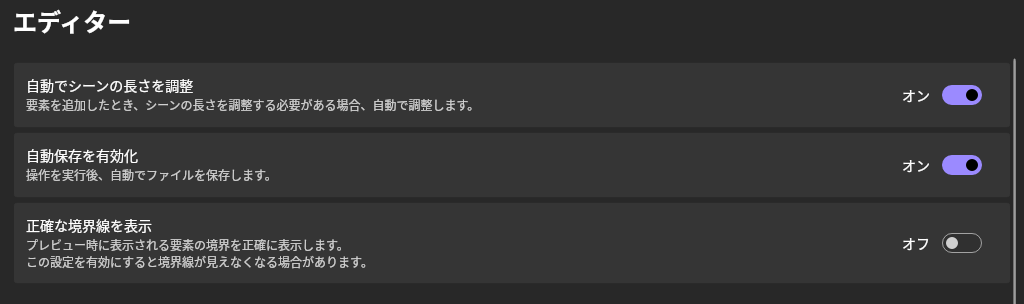
Automatically Adjust Scene Length
When enabled, the scene length will be automatically adjusted when an element is added if necessary.
Enable Auto-Save
When enabled, files will be automatically saved after performing actions.
Show Precise Boundaries
When enabled, the boundaries displayed during the preview will be shown precisely.
For objects like rectangles, the boundary lines might overlap with the drawing content, making the boundaries invisible.
Frame Cache

Enable Frame Cache
When enabled, frame caching is activated.
The default setting is "On".
Maximum Byte Size
Adjust the cache size to not exceed this byte size (in megabytes).
The default value is half of the device's memory capacity.
Scale
When saving the cache to memory, use this setting to reduce resolution to save memory.
- Original
- Match preview screen (default value)
- Half
- Quarter
If the preview screen size is equal to or larger than the original size, the resolution remains unchanged.
Color Space
When saving the cache to memory, use this setting to change the color space to save memory.
- RGBA (default value)
- YUV
YUV uses I420.
Node Cache

Enable Node Cache
When enabled, node caching is activated.
The default setting is "On".
Maximum Pixel Count
Nodes exceeding this pixel count will not be cached.
The default value is "1000000".
Minimum Pixel Count
Nodes below this pixel count will not be cached.
The default value is "1".
Property Editor
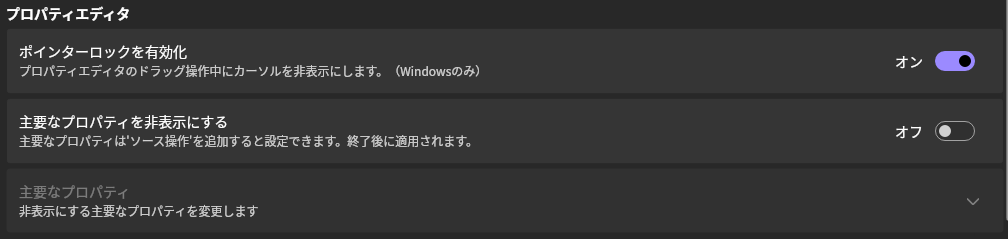
Enable Pointer Lock
Locks the cursor and hides it during drag operations in the property editor (Windows only).
The default setting is "On".
Hide Key Properties
Hides properties that are also provided as source operations.
The default setting is "Off".
Key Properties
When "Hide Key Properties" is enabled, set the properties to hide.